
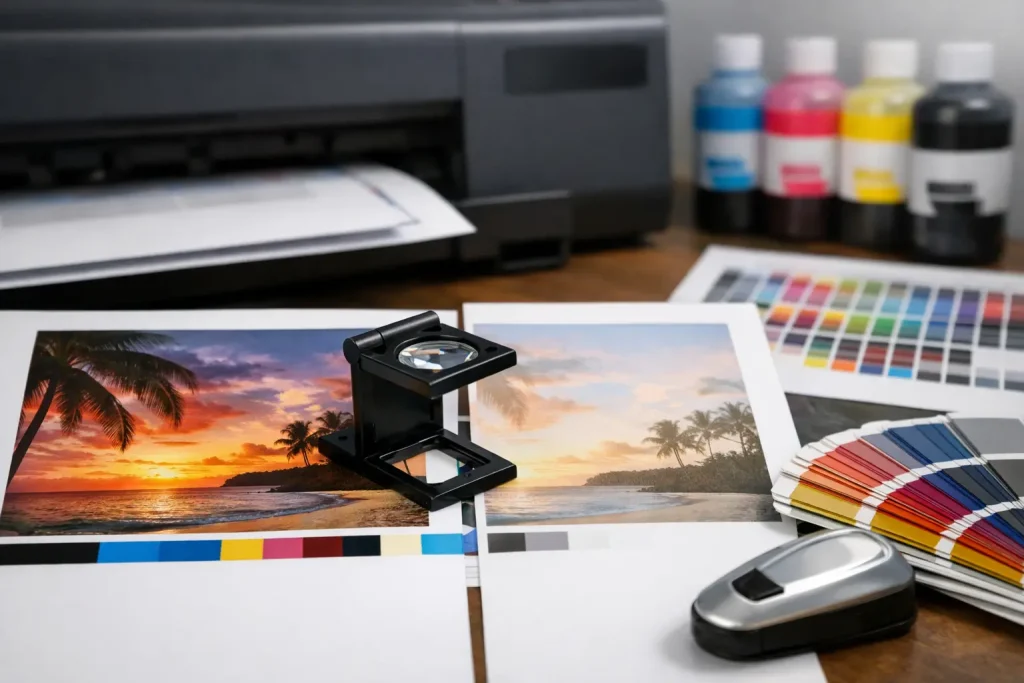
A corporate brochure looks deep navy on screen, but the delivered copies appear purple. A retail wall graphic that looked sharp in the artwork file prints darker than expected. These are common examples of printing color mismatch – and they can affect brand consistency, campaign timing, and the cost of a project.
Color differences are not always a printing fault. A design can be technically correct yet still produce an unexpected result when the screen, file setup, material, ink process, lighting, or finishing method changes. For business print, signage, packaging, and event graphics, the practical goal is not to make every surface look identical. It is to set a clear color target, choose the right production method, and approve expectations before full production begins.
Why Printing Color Mismatch Happens
A monitor creates color with light. A printed brochure, vinyl sticker, fabric backdrop, or foam board reflects light. This basic difference explains why a bright RGB visual on a laptop can lose intensity when reproduced with CMYK inks.
RGB is built for screens and uses red, green, and blue light. Commercial printing generally uses CMYK – cyan, magenta, yellow, and black inks. The RGB color range is wider than the CMYK range, especially for vivid blues, greens, oranges, and fluorescent-looking shades. When an RGB file is converted for print, colors outside the printable range must be replaced with the nearest available CMYK values. That replacement may be noticeable in a logo or a large solid background.
Color also changes from one material to another. A coated art paper, uncoated letterhead, kraft paper bag, clear sticker, fabric, PVC panel, and textured wall surface all receive ink differently. The same CMYK values can look richer on gloss stock, softer on uncoated stock, or less saturated on fabric. Large-format work has additional variables, including ink technology, viewing distance, and the base color of the substrate.
For clients managing several assets at once, this matters. A business card, product box, pull-up banner, event backdrop, and storefront decal may all carry the same brand color, but they should not be treated as identical print jobs.
Screen Settings Can Mislead Approvals
Many color complaints begin before a file reaches production. Screens vary in brightness, contrast, calibration, and display mode. A phone screen with high brightness can make a blue look electric. An office monitor set too warm can make neutral gray appear yellowish. Even calibrated screens are reference tools, not physical proofs.
Avoid approving critical colors from screenshots, messaging apps, or compressed PDFs viewed on a phone. For repeat brand work, provide approved color references and request a physical proof or sample when the shade is commercially important.
Files May Be Built for the Wrong Output
A file exported with RGB images, missing color profiles, low-resolution graphics, or mixed black settings can create unpredictable output. Artwork intended for a digital ad is not automatically ready for a press run or a large display installation.
Small text and fine lines need special attention. A rich black made from several CMYK inks can look dense on a large backdrop, but it may cause registration issues in tiny type. For small text, single-color black is usually the safer choice. Large black backgrounds may benefit from a controlled rich-black build, depending on the production process and material.
How to Prevent Printing Color Mismatch Before Production
The most effective solution is to make color decisions early, when changes are simple and inexpensive. A clear handoff between the marketing team, designer, and print supplier prevents more problems than any last-minute adjustment at press.
Start With a Usable Brand Color Reference
If your organization depends on a specific logo color, do not rely only on a visual sample in a PowerPoint slide. Provide the color values used for each application: Pantone or spot-color reference where applicable, CMYK breakdown for print, RGB and HEX values for digital use, and any approved material-specific guidance.
A Pantone reference is useful, but it is not a universal guarantee. Some Pantone shades cannot be matched exactly through standard four-color CMYK printing. The degree of match depends on the selected color, press method, substrate, and finish. When an exact brand shade is essential, a spot-color process may be appropriate for certain printed items. For digital prints, discuss the closest achievable match and approve a test output.
Consistency is also easier when the client maintains an approved sample. This may be a previous packaging run, a signed color proof, or a printed brand guide. The supplier can use it as a target instead of interpreting color from an uncalibrated screen.
Specify the Final Material and Finish
Do not approve a brochure proof and assume it represents a fabric banner or matte vinyl decal. The substrate is part of the color result.
For example, a glossy laminated flyer can make colors appear more saturated, while a matte laminate may reduce glare and slightly soften the visual impact. Uncoated paper absorbs more ink than coated stock, often producing a more muted finish. A wall mural printed on textured media may look different from the same image on smooth PVC. White ink, metallic surfaces, transparent materials, and colored boards introduce further variables.
Share the intended use from the start. A menu cover handled frequently, a retail sign under strong spotlights, and an exhibition graphic viewed from several feet away require different material and finishing decisions.
Request a Proof for High-Stakes Jobs
Proofing adds time and cost, but it is usually far less expensive than reprinting a campaign, an exhibition booth, or branded packaging. It is especially valuable when the job includes large solid colors, skin tones, product photography, premium brand colors, multiple production methods, or a first-time material.
There are different proof types. A soft proof is a digital preview and is helpful for checking layout, copy, image placement, and general appearance. A hard proof is a physical printed sample and is more useful for color approval. A press proof or production sample provides the closest indication of the final job, though its availability depends on the print method and project scope.
When reviewing a physical proof, examine it under lighting similar to its real environment. Retail signage may be seen under LEDs. Event backdrops may sit under stage lights. A brochure may be read in an office or restaurant. Lighting can make the same printed color appear warmer, cooler, brighter, or duller.
Managing Color Across Signs, Print, and Event Materials
Projects that combine business printing with physical branding need a practical color plan. A launch may include invitation cards, product labels, staff shirts, counter displays, window decals, directional signs, and a stage backdrop. Each item can use a different production process.
Rather than chasing a perfect match on every surface, identify the items where color accuracy has the highest value. Usually, these are the logo, hero visual, product image, or campaign background at eye level. Set a primary approved target for these elements, then allow reasonable variation where materials make exact matching unrealistic.
This approach also helps with scheduling. If an event requires installation, the color proof should be approved before fabrication and site work are committed. Last-minute artwork revisions can affect printing, cutting, mounting, carpentry, and installation timelines.
For recurring programs, keep an approved production record. Note the material, finish, print method, color profile, artwork version, and signed proof used. The next branch rollout, trade show, or seasonal campaign can start from a known standard instead of repeating the same approval process.
Give Your Print Partner Complete Information
A production-ready brief should state the finished size, quantity, material, finishing, installation requirements, and deadline. It should also identify color-sensitive elements, intended viewing conditions, and whether an existing sample must be matched.
Send the original logo files whenever possible, preferably vector artwork rather than a screenshot or a low-resolution image. Include linked images and fonts where required, or supply a properly packaged print PDF. If a color is critical, say so directly. A note such as “match brand blue to approved sample” is more actionable than “make it look nice.”
Pisti Prints can coordinate standard print pieces, large-format graphics, display materials, and installation-related output within one project scope. That is useful when a campaign needs multiple formats, but it works best when color priorities and material choices are confirmed before production starts.
When a Slight Difference Is Acceptable
Not every variation is a defect. A slight shift can be normal when comparing different batches, print methods, materials, or viewing conditions. Digital printing is often well suited to fast turnaround and shorter runs, while offset printing may be more economical for higher volumes and can offer different color control options. The right choice depends on quantity, deadline, budget, and the importance of a precise brand match.
The key is to distinguish between acceptable production variation and a result that misses the approved target. If a logo becomes visibly purple instead of navy, skin tones look unnatural, or a product color is misleading, the job needs review. If a matte paper version looks marginally less saturated than a gloss poster but remains on-brand, that may be an expected material effect.
The best time to solve a color issue is before the full run, when a proof, a material change, or a revised file can still protect the project. Treat color approval as a production checkpoint, not a final formality, and your printed materials will arrive ready to represent the brand they were made for.