
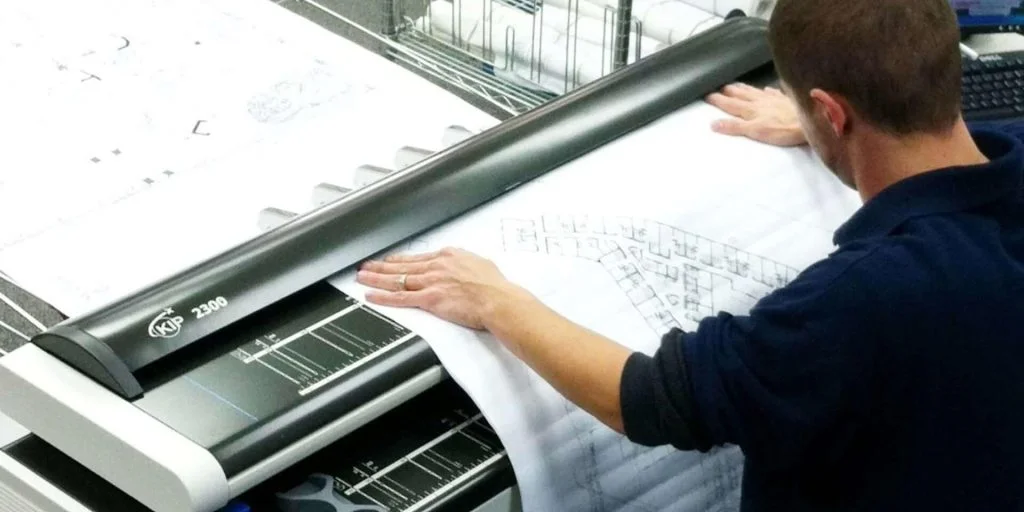
Getting a project approved shouldn’t feel like hitting pause on progress—but too often, it does. Long waits usually boil down to messy, unclear drawings that slow reviewers down. That’s where AutoCAD plot printing can save the day. It transforms your digital plans into clean, detailed prints that reviewers can actually read and approve quickly. Pisti Prints makes the process simple, offering fast turnaround and precision with options like A1 Plot Printing – AutoCAD. No more back-and-forth over formatting issues or missing details. With the right plots, your approvals come faster—and your project stays on schedule.
AutoCAD Plot Printing: An Overview:
AutoCAD plot printing is the process of turning digital design files into printable technical drawings that are ready for review, submission, or on-site use. In AutoCAD, “plotting” refers to the controlled output of a drawing—choosing what to print, at what scale, on which sheet size, and with what line weights and colours. It’s not just about hitting print; it’s about producing precise, professional-grade drawings that communicate design intent clearly. Plot printing comes in two forms: digital plotting, which creates shareable files like PDFs or DWFs for reviews and e-submissions, and physical printing, which produces large-format prints (like A1 or A0) for meetings, site use, or formal approvals. Each serves a distinct purpose depending on how and where the drawings are reviewed.
Common use cases for AutoCAD plot printing include site plans, floor layouts, electrical and plumbing schematics, structural details, and permit sets. Each of these relies on accurate scaling, layering, and clear annotations—features that AutoCAD handles well when properly plotted. We offer A1 Plot Printing – AutoCAD that makes sure your digital files are translated into high-quality physical prints that reviewers can quickly approve without confusion.
Print Smart, Get Approvals Fast: The AutoCAD Plot Printing Advantages:
AutoCAD plot printing isn’t just about creating drawings—it’s about presenting your work in a way that accelerates understanding and decision-making. Here’s how it helps cut through approval delays:
- Standardized, Professional Output
AutoCAD allows designers to apply consistent styles and formatting through plot styles (CTB/STB files), title blocks, and predefined templates. This standardization ensures that every drawing follows the same visual language, no matter who on the team creates it. Reviewers appreciate uniformity—it saves them from relearning the layout with every new submission. With professional, well-designed layouts, your drawings look credible and lead to faster decision-making. The less time reviewers spend adjusting to your formatting, the faster your approval moves.
- Accurate Scaling and Dimensions
One of the most common reasons plans get delayed is due to incorrect scaling or confusing dimensions. AutoCAD’s plotting features allow you to lock in precise scales, ensuring your drawings print exactly as intended—whether it’s 1:50 for architectural layouts or 1:500 for site plans. This level of accuracy gives reviewers confidence in what they’re seeing and removes the need for manual verification. When your plot prints are true to scale, reviewers can make quick decisions without flagging measurement errors.
- Quick Turnaround on Revisions
Project changes are inevitable, but they don’t have to be approval roadblocks. AutoCAD makes it easy to revise drawings while maintaining original formatting and layout consistency. Once edits are made, you can instantly regenerate updated plots using the same print settings, saving hours of manual rework. This means you can respond to feedback quickly and re-submit without reinventing the wheel. The faster you turn around clean revisions, the sooner the approval moves forward.
- High Readability, Even in Complex Drawings
Detailed technical drawings can quickly become overwhelming if not plotted properly. AutoCAD gives you full control over line weights, colours, hatches, and text sizes to ensure every element is readable. A clear hierarchy of visual information—thicker lines for walls, lighter lines for fixtures, distinct labels—makes it easy for reviewers to understand your intent at a glance. Readable drawings reduce confusion and eliminate unnecessary clarification requests. When your plots communicate clearly, you save reviewers time—and that speeds up approvals.
- Digital and Physical Submission Flexibility
Different agencies and clients have different preferences—some want digital PDFs, others insist on physical blueprints. AutoCAD plotting lets you produce both with the same drawing files, adapting to any submission format without extra effort. Large-format physical outputs like A1 or A0 are ideal for onsite meetings or formal reviews, while digital files can be instantly shared via email or upload portals. Having both options ready removes bottlenecks caused by last-minute format changes. The more flexible you are, the less you’re waiting on technicalities.
- Batch Plotting for Large Projects
Submitting a full drawing set doesn’t have to mean printing files one by one. AutoCAD’s batch plotting feature allows you to queue up multiple sheets and generate them in one go, with consistent formatting across all pages. This is especially useful for large-scale developments or multi-phase projects where time is tight and volume is high. Instead of wasting hours on repetitive print tasks, you can focus on meeting deadlines and final checks.
- Better Communication Across Teams
Clear drawings aren’t just for reviewers—they also keep your entire project team aligned. AutoCAD plots serve as the shared visual reference for architects, engineers, contractors, and clients. When everyone’s looking at the same clear, accurate print, there’s less room for interpretation errors and delays. Consistent plotting reinforces a common understanding of the design at every stage. When communication flows smoothly, approvals follow naturally.
Our Large format Scanning – AutoCAD Drawing service helps you digitize old or hand-marked plans with precision, making them ready for quick edits and clean submissions. When it’s time to produce physical copies, our AutoCAD and Blueprint Printing – A1 Printing service delivers sharp, clear plots tailored to your exact specs. For straightforward, high-quality prints, our A1 Printing option ensures your drawings look professional and are easy for reviewers to understand. Fast turnaround and consistent quality mean fewer delays and smoother approvals.
Summary:
Project approvals often get held up by one simple problem: unclear, inconsistent drawings. AutoCAD plot printing solves this by delivering clean, precise outputs that make it easier for reviewers to understand your plans and sign off faster. Whether it’s a detailed schematic or a full set of permit drawings, quality plotting keeps your submission process smooth and professional.
Trust Pisti Prints for expert AutoCAD plotting, A1 printing, and large-format scanning—because every day saved on approval is a day closer to completion. Get a quote today!